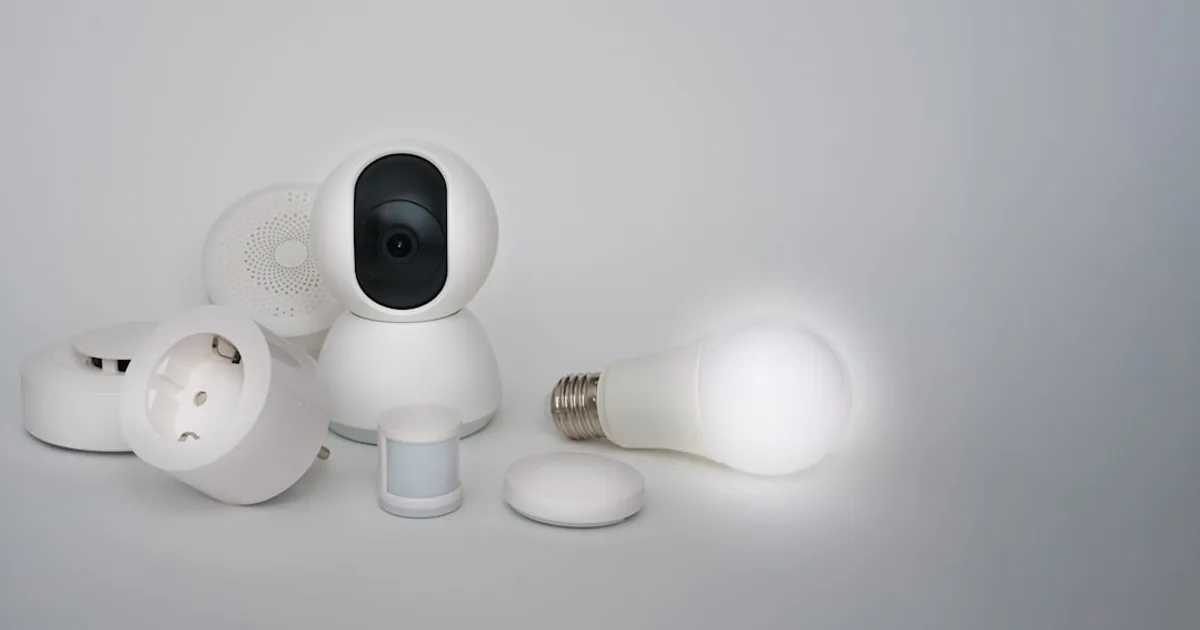
I've rebuilt my smart home setup from scratch twice — once when I moved apartments, once after I swore off proprietary ecosystems and went local. Both times I had a budget constraint and had to think carefully about what to buy first. Here's exactly what I'd pick in 2026 if I were starting over with $200.
This isn't a list of every good product under $200. It's a specific, opinionated kit that works together, covers the most useful automations first, and leaves room to expand.
The Philosophy: Useful Immediately, Expandable Later
The mistake most people make when starting a smart home is either (a) buying one device from five different ecosystems that don't talk to each other, or (b) over-engineering a hub setup before they know what they actually want to automate.
My approach: buy into one ecosystem, automate the highest-value things first (lighting, energy, home security basics), and buy a hub only when you need cross-device automations. The kit below is hub-optional to start, and hub-ready when you want to expand.
The Under-$200 Kit
Smart Speaker / Hub: Amazon Echo Dot (5th gen) — $50
Start here. The Echo Dot 5th gen has a temperature and humidity sensor built in (useful for automations), sounds decent for music, and costs $50. It's the command center that lets you control everything else with voice.
I'm recommending Alexa over Google for this budget because Alexa has better device compatibility with the cheap WiFi devices in this list, and the Echo Dot is the best value smart speaker available. If you're deeply Google-committed, swap this for a Google Nest Mini ($50) — same budget.
Alexa also has one privacy-relevant option worth using immediately: go to Alexa Privacy settings and disable "Use of voice recordings to improve Alexa." It's off by default in the EU, not in the US.
Running total: $50
Smart Plugs: Kasa EP25 x2 — $34 ($17 each)
Two smart plugs cover the most common automations immediately: a bedside lamp and a high-power device you want to monitor (space heater, dehumidifier, desktop computer). The EP25 includes energy monitoring, which means you'll immediately know what's costing you the most electricity.
Kasa works with Alexa out of the box, supports local control (no cloud required for automations), and the app is actually good. TP-Link has had the best reliability track record of any WiFi smart plug brand over the past four years.
Skip the 4-pack bundles until you know where you want plugs — you'll inevitably buy them for the wrong outlets and then they just sit in a drawer.
Running total: $84
Smart Bulbs: Sengled Smart Bulbs A19 4-pack — $28
The most impactful visible change in any smart home. Four bulbs covers a living room or bedroom meaningfully. Sengled WiFi bulbs don't require a hub, work with Alexa, and at $7/bulb they're the best value in the category.
Important note on smart bulbs: put a piece of tape over the wall switch (or buy a $6 switch guard on Amazon) to remind everyone not to turn off the switch. Smart bulbs need constant power. A switched-off bulb is a dumb bulb.
Why not Philips Hue? The Hue hub is $60 alone, before any bulbs. At this budget, Hue is too expensive as a starting point. When you've committed to smart lighting and want reliability + color + Zigbee, buy into Hue. Not yet.
Running total: $112
Motion Sensor: Aqara Motion Sensor P2 — $25
A motion sensor unlocks the most satisfying smart home automation: lights that turn on when you walk into a room and off when you leave. The Aqara P2 uses Bluetooth and has a 7-meter range with 170-degree field of view. It connects directly to the Echo via Alexa's Matter bridge without needing a separate hub.
Put it in the hallway or bathroom. "Lights automatically on when I walk in, off after 5 minutes of no motion" is the automation non-smart-home people notice and want to replicate.
Running total: $137
Smart Lock (Optional Stretch): Yale Assure Lock 2 Touch Wi-Fi — $199… or skip for now
Honestly? At $199, a smart lock eats your entire remaining budget and then some. I'm including it as an awareness item because a door lock is high-value and you should plan for it — but if you're strict about the $200 limit, skip it in the starter kit.
Instead, spend the remaining $63 on more bulbs or the following additions below.
Remaining $63: Pick Your Priority
If security matters most — Blink Mini Indoor Camera ($35):
A basic indoor camera is cheap peace of mind. Blink Mini works with Alexa, stores clips on a USB flash drive plugged into the camera (no subscription needed for local storage), and is small enough to put anywhere. This isn't a premium security camera, but it covers "did the dog knock something over" and "is there a package on the porch" scenarios.
If energy monitoring matters — Tapo P110 Smart Plug with Energy Monitor ($16):
Add a second energy-monitoring plug. I put one on my washing machine and discovered it costs $0.27 per load — which sounds small but adds up to ~$100/year. Awareness changes behavior.
If automation flexibility matters — Aqara Hub M2 ($35) + drop the Sengled bulbs for Aqara/Zigbee:
If you already know you want to go deep on automations and local control, swap the Sengled WiFi bulbs for IKEA Tradfri Zigbee bulbs ($12 each) and add the Aqara Hub M2 ($35). You'll save money per bulb in the long run, have mesh networking, and be on the path toward Home Assistant when you're ready to go all-in. This is the "I'm building something real" choice.
Total Bill of Materials
| Item | Price |
|---|---|
| Amazon Echo Dot 5th gen | $50 |
| Kasa EP25 Smart Plug x2 | $34 |
| Sengled Smart Bulbs 4-pack | $28 |
| Aqara Motion Sensor P2 | $25 |
| Blink Mini Camera (optional) | $35 |
| Total | $172 / $137 without camera |
You have $28-63 left for whatever fits your life — more bulbs, another plug, or save it for the door lock next month.
The Three Automations to Set Up First
Once everything is installed, configure these three automations before anything else. They deliver the most value immediately.
1. Motion-triggered hallway light. Motion sensor on → light on → motion sensor off for 5 minutes → light off. You'll use this every single day.
2. Bedside lamp at sunset. Living room lamp turns on at sunset, turns off at 10pm (or when you say "Alexa, good night"). Adjust the time to your schedule. Never come home to a dark house again.
3. High-power device off when energy exceeds threshold. If your space heater's plug reports more than 1,500W for over 6 hours, turn it off. Basic fire safety automation. Takes two minutes in the Kasa app.
What to Buy Next (Month 2-3)
After you've lived with this setup for a month, you'll know what you actually want. Common next steps:
- More bulbs for other rooms
- Smart thermostat (ecobee Essential $149) if you own and pay your own utilities
- A door lock
- Home Assistant on a Raspberry Pi 5 when you want local control and cross-device automations the Alexa app can't do
Don't plan too far ahead. The smart home upgrades that stick are the ones that solve actual daily friction, not the ones that sound cool in theory. Spend a month, notice what bothers you, then buy that next.
Where to Buy
Affiliate links — if you buy through these links, I may earn a small commission at no extra cost to you.